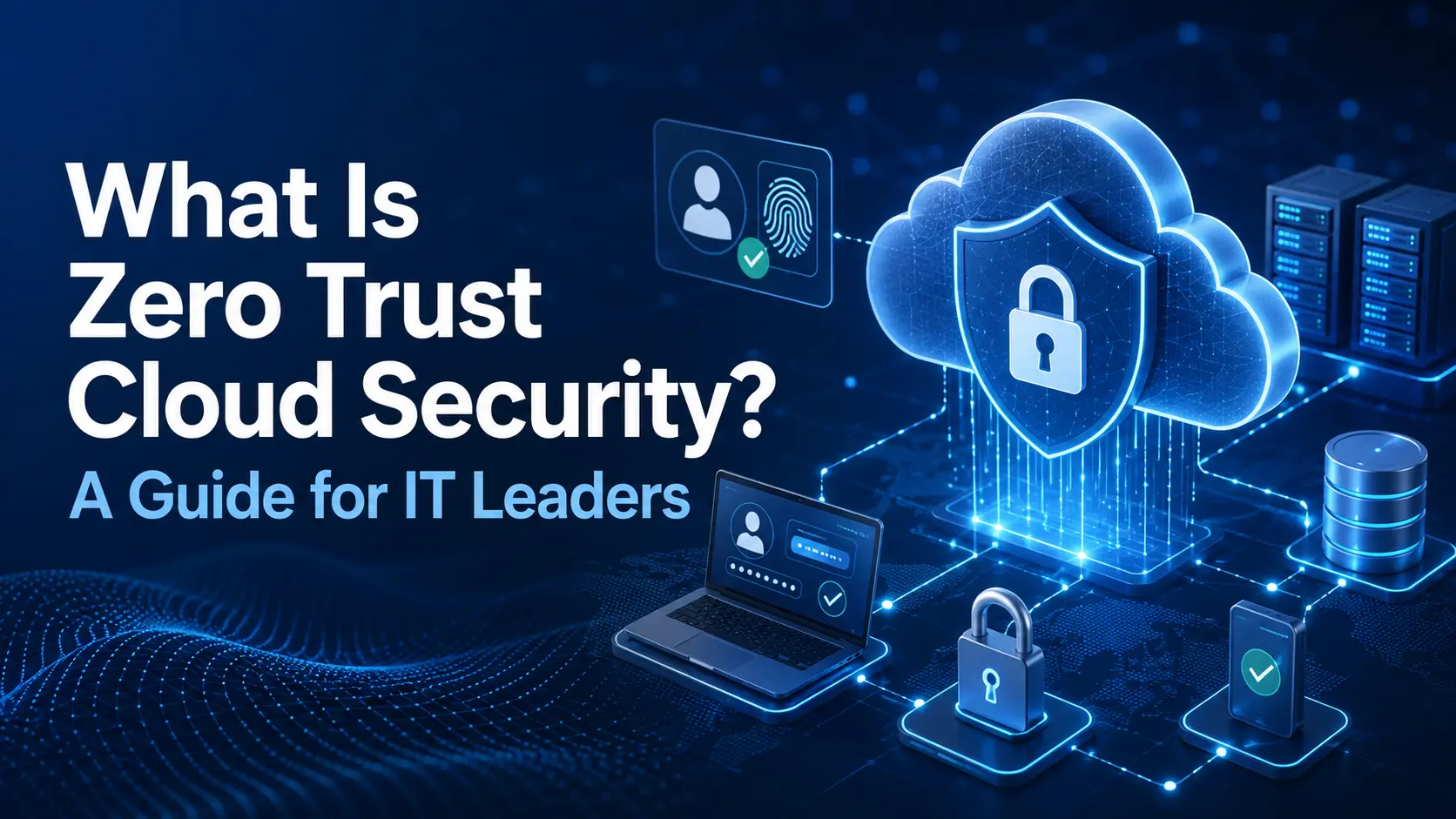
Zero Trust cloud security is a security approach that does not automatically trust a user, device, application, or workload just because it is connected to a company network. Every access request is checked before access is allowed. A Zero Trust model can check identity verification, device condition, permissions, and the requested cloud resources before making an access decision.
This approach fits modern cloud environments, where users, applications, and data may sit outside a traditional office network. For IT leaders, the goal is simple: control who can access each resource, apply least-privilege access, and use continuous verification to reduce unnecessary access across cloud infrastructure.

What Does Zero Trust Security in the Cloud Mean?
If you are asking what Zero Trust security in the cloud means, the simple answer is that no user, device, or application receives automatic trust. The phrase “never trust, always verify” is often used to explain this idea. A user may have valid login details, but the system can still check the user identity, device identity, requested resource, location, and other conditions before allowing access.
Authentication confirms who the user is, while authorization decides what that user can access. This identity-based access model reduces implicit trust and helps businesses apply stronger security policy controls across cloud systems. A Zero Trust model in the cloud can also use contextual access rules. For example, an employee using a managed company device may receive access, while the same employee using an unknown device may need stronger verification.
How Does Zero Trust Cloud Security Work?
Zero Trust cloud security works by checking each access request against defined security rules. When a user, device, or workload requests access, the system first performs identity verification. It can then check device posture, available risk signals, user permissions, and the resource being requested.
A policy engine uses these details for policy enforcement and makes an access decision. If the request meets the required conditions, access is given only to the needed resource. The process does not always stop after login. Continuous monitoring can review session activity, authentication events, unusual behavior, and changes in risk while access remains active.
This is how a cloud zero trust architecture moves security away from simple network-based trust and toward controlled resource access.
Zero Trust Cloud Security vs Traditional Cloud Security
Traditional security often depends heavily on a network perimeter. Once someone enters a trusted network, that person may receive broader access to internal systems. Zero Trust cloud security uses a different approach. Network location alone does not create trust.
Traditional security | Zero Trust cloud security |
Often depends on network-based trust | Uses identity-based security and access policies |
| Internal users may receive wider access | Each request can be checked |
Access may stay open after login | Continuous verification can continue during access |
| Often uses static access rules | Can use dynamic access policies |
A compromised account may move between systems | Least privilege and segmentation can reduce lateral movement |
| Focuses strongly on the network perimeter | Focuses on users, devices, workloads, applications, and data |
The traditional castle-and-moat security model works poorly when users, applications, and cloud systems sit outside one internal network. A Zero Trust approach uses resource-level access controls to reduce the available attack surface.
What Are the Core Components of Zero Trust Cloud Security?
A Zero Trust cloud architecture uses several connected security controls. These controls cover identity, devices, workloads, applications, networks, and data. No single control creates a complete Zero Trust environment. The different controls work together through access policies, policy enforcement, monitoring, visibility, and security analytics.
Identity and Access Management
Identity and Access Management (IAM) controls who can access cloud systems. It may include user authentication, MFA, single sign-on, role-based access, conditional access, privileged access, and account provisioning.
An identity provider verifies users before access is granted. The identity lifecycle also matters because permissions should change when an employee changes roles or leaves the company. Regular access permissions reviews help remove access that is no longer required.
Device Security
A correct username and password do not prove that a device is secure. Device security checks device posture and device health before allowing access to important cloud resources.
This can include endpoint security, endpoint protection, device compliance, operating system updates, and mobile device management. Companies should also know which devices are managed devices and which are unmanaged devices. An unknown or unsafe device may receive limited access or be blocked depending on company policy.
Workload & Application Identity
Users are not the only identities inside cloud systems. Cloud workloads, virtual machines, containers, microservices, APIs, and applications also communicate with other systems.
Workload identity, application identity, and machine identity help systems verify each other before access is allowed. API authentication and controlled service-to-service access are important when applications exchange data automatically.
Service accounts should also receive only the workload permissions they need. This is an important part of Zero Trust for cloud workloads because machine-to-machine access can create security gaps when permissions are too broad.
Least-Privilege Access
Least privilege means giving a user or system only the minimum permissions required to complete a task. A user who only needs to view a report should not receive an administrator account.
Organizations can use role-based access control, privileged access management, just-in-time access, and just-enough access to control permissions. Regular access reviews can also find excessive permissions and reduce the risk of privilege escalation.
Cloud Network Segmentation
Cloud network segmentation separates systems so that access to one resource does not automatically provide access to others. Microsegmentation can create smaller access boundaries around workloads and applications.
Controls may include network segmentation, firewall policies, network zones, application segmentation, and workload isolation. These controls can limit unnecessary east-west traffic and reduce lateral movement if an account or workload is compromised.
Data Protection
Zero Trust also applies to sensitive data. A company needs to know what information it stores, where it is stored, and who can use it. Data classification helps separate low-risk information from sensitive business data.
Controls may include encryption at rest, encryption in transit, data loss prevention, cloud storage permissions, data access, and data governance. The level of protection should match the sensitivity of the information.
Continuous Monitoring
Continuous monitoring gives security teams real-time visibility into access activity. This can include access logs, authentication logs, audit logs, security alerts, user activity, and cloud events.
A SIEM or other security analytics system can help with threat detection and anomaly detection. Monitoring also supports continuous assessment because access policies can be reviewed when user behavior, devices, or risks change.
Why Is Zero Trust Important for Cloud Security?
Modern businesses may have a remote workforce, SaaS applications, cloud workloads, third-party users, and systems spread across different distributed environments. This creates practical security risks such as credential theft, account compromise, cloud misconfiguration, excessive permissions, insider risk, and uncontrolled third-party access.
Traditional perimeter controls may not see every cloud connection because many users and applications connect directly to cloud services. Zero Trust for cloud security reduces reliance on location-based trust and applies controls closer to the user, device, workload, application, and data. It can also reduce lateral movement after an account is compromised by limiting how much access each identity receives.
How to Build a Zero Trust Cloud Security Approach
A Zero Trust strategy should begin with a clear view of the current environment. A company should understand its users, devices, applications, data, and existing identity controls before changing access policies. This cloud security assessment provides a baseline for the wider security roadmap.
Step 1: Identify Users, Devices, Applications, and Data
Start by creating an asset inventory. Record employee identities, administrator accounts, service accounts, endpoints, cloud assets, SaaS applications, applications, workloads, and important data. An identity inventory, device inventory, application inventory, and data inventory make it easier to see what needs protection. Data classification should also identify which information needs stronger controls.
Step 2: Identify Sensitive Cloud Resources
Review the inventory and identify the systems that would create the greatest business or security risk if they were exposed, changed, or unavailable. These may include critical assets, cloud databases, production workloads, administrator consoles, business-critical applications, privileged systems, and confidential information. Higher-risk resources should receive stronger authentication, tighter permissions, and closer monitoring.
Step 3: Map Access Requirements
Next, document who needs access to each important system. Access mapping should connect user roles, business responsibilities, application access, data access, third-party access, and privilege requirements. This process can expose unnecessary access pathways and permissions that users no longer need. Access should match real job requirements.
Step 4: Strengthen Identity and Authentication
Identity is one of the main controls in a Zero Trust cloud security approach. Use multi-factor authentication (MFA) for important accounts and cloud applications. Depending on the environment, other controls may include conditional access, passwordless authentication, risk-based authentication, single sign-on, and stronger privileged identity controls. Administrator accounts should receive stronger protection because they can make high-impact changes.
Step 5: Apply Least-Privilege Access
Review existing permissions and remove access that is no longer needed. Look for dormant accounts, permanent administrator rights, unnecessary third-party permissions, old service accounts, and excessive access. Use role-based permissions, temporary privileges, or just-in-time access where appropriate. Regular access reviews help prevent permissions from growing over time.
Step 6: Segment Cloud Resources
Review how workloads and applications communicate with each other. Use cloud network segmentation, microsegmentation, security groups, firewall rules, network policies, and workload isolation where they help protect important resources. The purpose is to reduce unnecessary connections and limit lateral movement without blocking legitimate application traffic.
Step 7: Monitor and Improve Access Policies
Zero Trust policies need ongoing review as users, applications, and risks change. Track access logs, authentication events, policy violations, privileged activity, security alerts, and access exceptions. Regular policy review and access audits can show which rules are working and which ones need policy optimization. This makes continuous improvement part of the Zero Trust approach.
What Is a Zero Trust Security Platform?
A Zero Trust security platform is a group of tools used to support Zero Trust controls. Zero Trust itself is a security architecture, not one product. A security stack may include:
Security Control | Purpose |
| IAM | Manages identities and access permissions |
MFA | Adds stronger authentication |
| ZTNA | Controls access to specific applications |
Endpoint security | Protects and checks devices |
| Cloud security controls | Protect workloads and cloud resources |
Policy engine | Applies access rules |
| SIEM | Collects and analyzes security events |
The tools should work together through useful security integrations, access controls, device security, and security analytics.
How Does Zero Trust Work in Hybrid and Multi-Cloud Environments?
A hybrid cloud or multi-cloud environment may include AWS, Microsoft Azure, Google Cloud, SaaS platforms, a private cloud, and on-premises infrastructure. A hybrid Zero Trust architecture needs consistent access rules across these environments. This may require centralized identity, federated identity, workload identity, cross-cloud access rules, and consistent logging.
For example, an application running in AWS may need access to a database in Azure. The access decision should use the workload identity and relevant security policy instead of automatically trusting the application based on network location.
This approach is especially important for cloud-native applications and organizations managing a multi-cloud Zero Trust architecture.
Zero Trust Cloud Security for Small and Mid-Sized Businesses
Small and mid-sized businesses can use Zero Trust principles without building a large enterprise security program.
For SMB cloud security, a practical starting point may include:
- MFA for cloud applications.
- Strong controls for administrator accounts.
- Regular access reviews.
- Better endpoint security.
- Removal of unused accounts.
- Review of third-party access.
- Improved Microsoft 365 security.
- Cloud logging.
- Cloud backup reviews.
- Least-privilege permissions.
Businesses with limited IT resources can use a phased approach and start with systems that create the highest risk.
Common Zero Trust Cloud Security Mistakes
Common problems include:
- Treating Zero Trust as a product instead of an architecture.
- Trying to implement everything at once.
- Keeping overprivileged accounts.
- Using weak MFA or failing to use MFA on important systems.
- Ignoring workload identities.
- Leaving old or dormant accounts active.
- Allowing unmanaged devices without suitable controls.
- Creating too many policy exceptions.
- Maintaining an incomplete inventory.
- Giving service accounts excessive permissions.
- Having poor asset visibility.
- Failing to perform regular access reviews.
- Having a lack of monitoring.
- Taking a tool-first approach before understanding risk.
Most of these problems can be reduced by starting with identity, access, asset visibility, and clear policies.
Zero Trust Cloud Security Checklist for IT Leaders
Use this Zero Trust checklist during a cloud security assessment:
- Complete the asset inventory
- Identify privileged accounts
- Check MFA coverage
- Review identity management
- Identify managed and unmanaged devices
- Check device compliance
- Review workload security
- Remove unnecessary permissions
- Complete regular access reviews
- Review third-party access
- Check cloud network segmentation
- Review policy exceptions
- Enable useful cloud logging
- Confirm important systems have security monitoring
The checklist should match the company’s actual cloud environment, business risk, and compliance requirements.
How Do You Measure Zero Trust Cloud Security Progress?
A Zero Trust program needs clear security metrics. Start with a baseline and measure changes over time.
Metric | What it shows |
MFA adoption | How many important accounts use stronger authentication |
| Privileged accounts | How much high-level access exists |
Unmanaged devices | How much access comes from devices outside company control |
Dormant accounts | Whether unused identities are being removed |
| Access-policy coverage | How many important systems have defined access rules |
Policy exceptions | Where normal controls are being bypassed |
Device compliance | Whether managed devices meet security requirements |
Third-party access reviews | Whether outside access is reviewed |
| Authentication failures | Where identities repeatedly fail access checks |
| Security incidents | Whether access-related incidents change over time |
These KPIs can support a wider maturity assessment and help IT leaders understand their current security posture. A security maturity model can also help organize Zero Trust progress across identities, devices, applications, workloads, networks, and data.
How CyberZeals Can Help With Zero Trust Cloud Security
CyberZeals can review an organization’s current cloud environment before a Zero Trust implementation begins. A cloud security assessment or cybersecurity assessment can review identity controls, cloud configurations, administrator permissions, application exposure, network access, and existing security policies.
Depending on the environment, CyberZeals can also support the following:
- Identity and access review
- Cloud configuration review
- Penetration testing
- Vulnerability assessment
- Security consulting
- Cloud security services in USA
- IT consulting Services in USA
- Compliance support
- Risk assessment
- Remediation planning
The findings can be used to build a practical security roadmap based on actual gaps and business requirements.
FAQs
Is Zero Trust the Same as ZTNA?
No. Zero Trust architecture is the wider security model, while ZTNA is a form of identity-based access used to control access to specific applications.
Does Zero Trust Replace a VPN?
Not always. ZTNA can replace some VPN and remote access use cases by providing application-level access, while some organizations may still need VPN access for specific systems.
Is Zero Trust Only for Large Businesses?
No. An SMB can start with MFA, stronger administrator controls, access reviews, and secure cloud applications through a phased implementation.
Can Zero Trust Be Used With Microsoft 365?
Yes. Microsoft 365 can use Entra ID, conditional access, MFA, identity security, and device compliance as part of a Zero Trust approach.
Can Zero Trust Work Across AWS and Azure?
Yes. AWS and Microsoft Azure can use federated identity, workload identity, consistent access policies, and multi-cloud security controls.
Is a Zero Trust Security Platform Required?
No. A company can combine IAM, ZTNA, endpoint security, and other cloud security controls without buying one specific Zero Trust platform.
What Is the First Step in Implementing Zero Trust in the Cloud?
Start with an asset inventory, identity inventory, access mapping, and risk assessment so you know which users, devices, applications, workloads, and sensitive resources need protection first.
if you have any query, then call us on +1 888 533 0044 or contact us now and get in touch with us