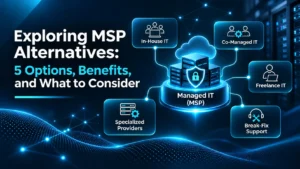
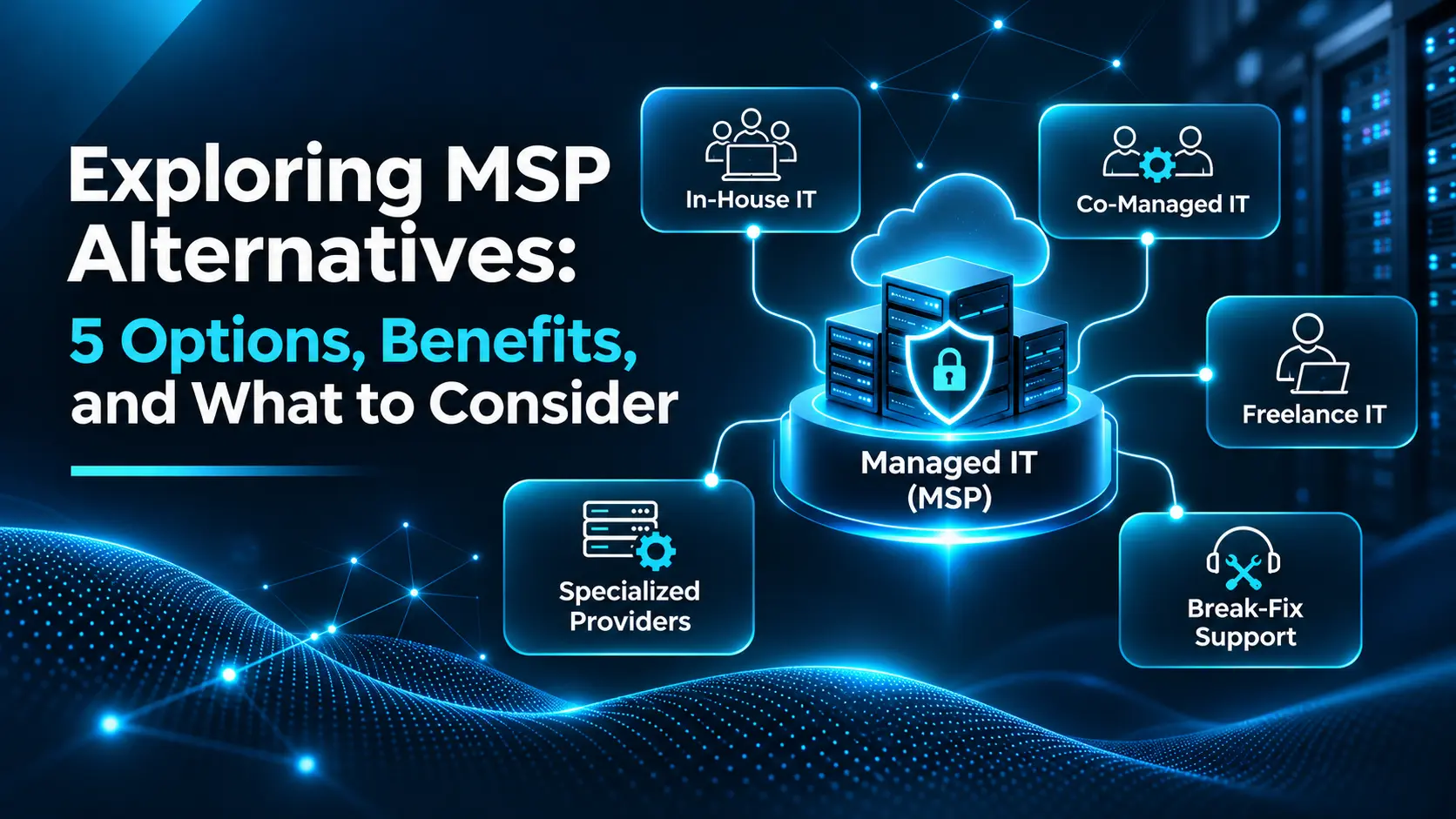
Managed Service Providers (MSPs) help businesses manage IT infrastructure, technical support, cybersecurity, backups, networks, cloud environments, and other day-to-day technology operations. However, a traditional MSP is not the only option. MSP Alternatives such as in-house IT teams, co-managed IT services, freelance IT professionals, specialized IT providers, and break-fix support can offer different levels of control, flexibility, expertise, and cost.
The right IT support model depends on your business size, technical requirements, internal expertise, budget, and support needs. This guide compares five common MSP alternatives, explains their key benefits and limitations, and helps businesses identify which option best fits their operational requirements.
What Is an Alternative to an MSP?
An alternative to an MSP is any IT management model that allows a business to manage its technology without outsourcing most or all IT responsibilities to a traditional managed service provider.
Instead of relying on one provider, a business may:
- Build an internal IT department
- Combine internal IT with external specialists
- Hire freelancers or independent consultants
- Outsource individual technical areas
- Use break-fix support when problems occur
The real decision is therefore not simply MSP vs no MSP. Businesses should determine which IT responsibilities should stay internal and which should be handled by external professionals.
For example, one company may keep day-to-day user support in-house while outsourcing cybersecurity and cloud management. Another may rely entirely on an MSP because it does not have an internal IT department.

MSP Alternatives at a Glance
| IT Model | Main Advantage | Main Limitation | Best Fit |
|---|---|---|---|
| In-House IT | Direct control | Higher staffing costs | Larger organizations |
| Co-Managed IT | Shared expertise | Requires coordination | Businesses with internal IT |
| Freelance IT | Flexible support | Limited availability | Small businesses and projects |
| Specialized Providers | Deep expertise | Multiple vendors | Specific technical requirements |
| Break-Fix Support | No recurring contract | Reactive support | Very small/simple environments |
| Managed IT Services | Broad ongoing coverage | Recurring service cost | Businesses needing continuous support |
5 Best MSP Alternatives for Businesses
1. In-House IT Team
An in-house IT team consists of employees who manage the organization’s technology internally. These professionals may handle infrastructure, employee support, network administration, applications, devices, cybersecurity, cloud systems, and technology projects depending on the size and skills of the team because they work directly within the organization, internal IT professionals can develop a detailed understanding of company systems, users, processes, applications, and business priorities.
Pros:
- Greater control over IT priorities and decisions
- Direct access to technical staff
- Strong understanding of internal systems
- Easier alignment with company-specific processes
- Greater control over technology planning
Cons:
- Recruitment and salary costs can be significant
- Multiple specialists may be required
- Coverage may be limited outside working hours
- Training and certifications require ongoing investment
- Vacations and staff turnover may create support gaps
Best for: Medium-sized and large businesses that have the budget and technical complexity to support dedicated internal IT staff.
2. Co-Managed IT Services
Co-managed IT combines an internal IT team with external technical expertise. The external provider does not replace the internal team. Instead, both parties divide responsibilities based on skills, resources, capacity, or business requirements. For example, an internal IT department may manage employee support and applications while an external provider handles cybersecurity monitoring, cloud infrastructure, network management, backups, or major technology projects.
This model works well when an internal team understands the business but needs additional expertise or resources. CyberZEALS is a strong Managed Service Provider (MSP) in USA to partner for businesses that need reliable support across managed IT, cybersecurity, cloud management, network operations, and technical support while keeping their internal IT team involved.
Pros:
- Keeps internal IT knowledge within the business
- Provides access to additional specialists
- Reduces pressure on internal staff
- Expands technical capabilities
- Can scale as technology requirements change
Cons:
- Responsibilities must be clearly defined
- Communication between teams is essential
- Poor coordination can lead to duplicated work
- Additional services may increase overall IT costs
Best for: Organizations that already have an IT department but need additional expertise, coverage, tools, or technical capacity.
3. Freelance IT Professionals
Freelance IT professionals and independent consultants can provide support for specific technical problems or projects without requiring a permanent employee or long-term managed service agreement.
Businesses may hire freelancers for tasks such as:
- Network configuration
- Server setup
- Cloud projects
- Cybersecurity assessments
- Website or application support
- System migrations
- Technology consulting
Freelance support is usually provided on an hourly, daily, or project basis.
Pros:
- Flexible engagement models
- Access to specialized skills
- No permanent employment commitment
- Suitable for short-term technical projects
- Can be cost-effective for occasional requirements
Cons:
- Availability may vary
- Continuous support may not be guaranteed
- Businesses must evaluate qualifications carefully
- Different specialists may be required for different systems
- Long-term accountability may be limited
Best for: Startups and smaller businesses that need occasional technical help or specialist support for individual projects.
4. Specialized IT Service Providers
Specialized IT providers focus on specific areas of technology rather than managing an organization’s entire IT environment. A business may, for example, retain its internal IT team while working with external specialists for cybersecurity services, cloud infrastructure management, data backup and recovery, network infrastructure, compliance, or penetration testing.
This approach can provide access to deeper expertise without outsourcing every technology responsibility.
Pros:
- Access to specialized technical knowledge
- Services can be selected individually
- Internal IT teams retain control
- Useful for complex or high-risk technology areas
- Reduces reliance on one provider
Cons:
- Multiple vendors may need to be managed
- Responsibilities can become fragmented
- Communication between providers may be difficult
- Separate contracts can complicate cost management
Best for: Businesses with an internal IT capability that need additional expertise in areas such as cybersecurity, cloud, compliance, backup, or infrastructure.
5. Break-Fix IT Support
Break-fix support is a reactive IT model. Instead of paying for ongoing monitoring or management, a business contacts a technician when something stops working or requires repair.
For example, support may be requested when:
- A computer fails
- A network stops working
- A server experiences an issue
- Software stops functioning
- A device requires configuration
The business then pays for the work required to resolve the problem.
Pros:
- No recurring managed service fee
- Simple payment model
- Suitable for occasional technical problems
- Can work for very small IT environments
Cons:
- Problems are addressed after they occur
- Emergency repairs may be expensive
- Preventive maintenance may be limited
- Monitoring is generally not included
- Security issues may remain unnoticed
- Support availability may vary
Best for: Very small businesses with simple technology environments and limited ongoing IT requirements.
Which MSP Alternative Is Right for Your Business?
The right option depends less on which model is universally “best” and more on how much technology responsibility your organization can manage effectively.
A simple way to evaluate the options is:
| Business Situation | Potential Best Fit |
|---|---|
| You want maximum internal control | In-House IT |
| You already have an IT team but need extra expertise | Co-Managed IT |
| You need help with occasional projects | Freelance IT |
| You need support in one technical area | Specialized Provider |
| Your IT requirements are minimal | Break-Fix Support |
| You need ongoing monitoring and broad IT support | Managed IT Services |
For many growing organizations, the decision may involve combining multiple models rather than choosing only one.
For example, a company may maintain an internal IT administrator while outsourcing cybersecurity monitoring and cloud infrastructure management.
MSP vs In-House IT
An MSP and an internal IT department provide similar capabilities in some areas, but the operating models are different. An internal team gives a business direct control over staff, priorities, and technology decisions. An MSP provides access to a broader pool of technical resources without requiring the company to recruit and maintain every IT role internally.
In-house IT may make more sense when:
- The organization has highly specialized internal systems
- Technology is central to daily business operations
- Internal control is a priority
- The company can support multiple technical roles
An MSP may make more sense when:
- The business does not have an internal IT department
- Multiple IT skills are required
- Continuous monitoring is important
- The company wants predictable ongoing support
- Recruiting multiple IT specialists would be difficult
Neither option is automatically superior. The better model depends on the organization’s requirements, resources, and risk profile.
Co-Managed IT vs Fully Managed IT
- Co-managed IT and fully managed IT serve different organizational structures.
- Co-managed IT supplements an existing internal IT department.
- Fully managed IT places most ongoing technology responsibilities with an external provider.
- Co-managed IT is usually more suitable when a business already has internal technical staff but needs additional expertise, capacity, monitoring, or specialized services.
- Fully managed IT may be more appropriate when a business prefers to outsource most day-to-day technology responsibilities.
What About MSP AI Platform Alternatives?
AI-powered IT platforms can automate parts of IT management, but they should not automatically be treated as direct replacements for an MSP. An MSP is a service organization, while an AI-powered IT platform is primarily a technology tool.
AI platforms can help technical teams perform tasks such as:
- Automated system monitoring
- Alert analysis
- Ticket categorization
- Workflow automation
- Predictive maintenance
- Security event analysis
- Performance monitoring
However, AI tools still require proper configuration, oversight, escalation procedures, and technical decision-making.
MSP vs AI Platform
| Capability | MSP | AI Platform |
|---|---|---|
| Human technical support | Yes | Limited |
| Automated monitoring | Yes | Yes |
| Strategic IT guidance | Yes | Limited |
| Workflow automation | Yes | Yes |
| Incident ownership | Yes | Usually limited |
| On-site technical work | Possible | No |
| Technology planning | Yes | Limited |
| Human accountability | Yes | Limited |
For most businesses, AI platforms are better viewed as tools within an IT management strategy rather than complete replacements for qualified IT professionals.
Can AI Replace an MSP?
Not completely.
AI can automate repetitive tasks, identify unusual activity, assist with troubleshooting, analyze system data, and improve operational efficiency. However, businesses still need people to make decisions involving infrastructure architecture, cybersecurity incidents, business priorities, compliance requirements, vendor management, physical equipment, and strategic technology planning.
The more useful question is therefore:
How can AI reduce the amount of manual work required to manage IT?
Rather than:
Can AI completely replace IT professionals?
What Does “MSP Alternate Server” Mean?
The phrase MSP alternate server can have different meanings depending on the context.
It may refer to:
- A secondary server
- A backup server
- Alternative infrastructure
- Cloud-based infrastructure
- A hybrid server environment
Businesses sometimes introduce alternate infrastructure to improve availability, resilience, backup capability, or reduce reliance on a single environment. However, replacing or adding a server does not replace the broader role of an MSP.
Server management is only one component of IT management. Businesses must still consider network management, security, monitoring, updates, backups, user support, applications, and recovery procedures.
Key Factors to Consider Before Choosing an MSP Alternative
Choosing an IT support model should involve more than comparing monthly service prices.
Businesses should evaluate the complete operational impact of each option.
1. Total Cost of Ownership
Consider more than the initial price.
Potential costs may include:
- Salaries
- Recruitment
- Employee benefits
- Training
- Software licenses
- Monitoring tools
- Security platforms
- Hardware
- Maintenance
- Specialist consultants
- Emergency support
A model that appears inexpensive initially may become more expensive once all operational requirements are included.
2. Technical Expertise
Identify the technical skills required to manage your environment.
A business may need expertise across:
- Networking
- Cybersecurity
- Cloud infrastructure
- Backup and recovery
- Endpoint management
- Servers
- Business applications
- Compliance
One person may not have deep expertise across every area.
3. Security and Data Protection
Determine who is responsible for protecting systems and business information.
Important considerations include:
- Access control
- Software updates
- Endpoint security
- Monitoring
- Backups
- Incident response
- Recovery procedures
- Security documentation
Security responsibilities should be clearly assigned regardless of which IT support model is selected.
4. Scalability
Technology requirements usually change as businesses grow.
Consider whether your chosen model can support:
- More employees
- Additional devices
- New offices
- More applications
- Increased cloud usage
- Higher security requirements
- More complex infrastructure
The support model should be able to grow without creating unnecessary operational bottlenecks.
5. Support Availability
Determine when technical support is required.
Some businesses may only need assistance during normal working hours.
Others may require:
- After-hours support
- Emergency assistance
- Weekend coverage
- Continuous monitoring
- Rapid escalation
Support requirements should be defined before comparing providers or hiring technical staff.
6. Accountability
One of the most overlooked factors in IT management is responsibility.
Businesses should clearly document:
- Who manages each system
- Who responds to incidents
- Who approves changes
- Who manages backups
- Who monitors security
- Who owns system documentation
- Who handles escalation
Without clear accountability, technology issues can remain unresolved because multiple parties assume someone else is responsible.
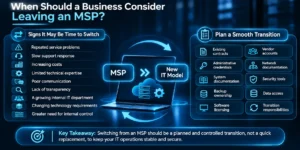
When Should a Business Consider Leaving an MSP?
Businesses may consider changing their IT support model when the existing arrangement no longer matches their requirements.
Potential reasons include:
- Repeated service problems
- Slow support response
- Increasing costs
- Limited technical expertise
- Poor communication
- Lack of transparency
- A growing internal IT department
- Changing technology requirements
- Greater need for internal control
However, switching providers or support models should be planned carefully.
Before making a change, review:
- Existing contracts
- Administrative credentials
- System documentation
- Backup ownership
- Software licensing
- Vendor accounts
- Network documentation
- Security tools
- Data access
- Transition responsibilities
The goal should be a controlled transition rather than simply ending one relationship and looking for another afterward.
Are MSP Alternatives Cheaper?
Sometimes, but not always.
A freelancer or break-fix technician may appear less expensive because there is no recurring management fee. However, the total cost may increase when a business separately pays for monitoring tools, security products, backups, emergency support, consultants, cloud specialists, and internal staff.
Similarly, maintaining an internal IT department provides more control but introduces salaries, benefits, recruitment, training, management, and staff coverage costs. Businesses should compare total cost of ownership, not simply monthly fees.
Are MSP Alternatives Worth It for Small Businesses?
Yes, when the alternative matches the actual technology requirements of the business.
- A very small company with simple systems and occasional IT problems may not require comprehensive managed services.
- A company with one experienced internal IT employee may benefit from co-managed support.
- A growing business with more employees, cloud systems, security requirements, backups, and multiple applications may find fully managed IT easier to operate.
- The right model depends on how much technology the business uses and how much technical responsibility it can manage internally.
At CyberZEALS, our view is that the strongest IT model is not necessarily the one with the most services. It is the model that gives the business clear ownership, appropriate technical expertise, reliable support, and the ability to adapt as technology requirements change.
Final Thoughts
MSPs provide businesses with a convenient way to access technical expertise, ongoing support, monitoring, security, and infrastructure management, but they are not the only IT support model available. In-house IT, co-managed services, freelance professionals, specialized providers, and break-fix support can all be effective when they align with the organization’s size, technical complexity, available resources, and support requirements.
The most important decision is not simply whether to use an MSP. It is deciding who should be responsible for each part of your technology environment and whether they have the expertise, resources, availability, and accountability to manage it effectively. By evaluating cost, expertise, security, scalability, support availability, and ownership together, businesses can choose an IT support model that supports both current operations and long-term growth.
Frequently Asked Questions
What is the best alternative to an MSP?
There is no single best MSP alternative. In-house IT offers greater control, co-managed IT combines internal and external expertise, freelancers work well for occasional projects, specialized providers support specific technical requirements, and break-fix services suit businesses with minimal ongoing IT needs.
Are MSP alternatives cheaper than managed services?
They can be, but lower initial costs do not always mean lower total costs. Employee salaries, software, monitoring tools, security products, consultants, emergency repairs, and infrastructure maintenance should all be considered when comparing IT support models.
Is co-managed IT better than fully managed IT?
Co-managed IT is generally more suitable for businesses that already have internal IT staff. Fully managed IT is usually more appropriate when an organization wants an external provider to manage most ongoing technology responsibilities.
Can AI platforms replace traditional MSP services?
AI platforms can automate monitoring, ticket management, analysis, and workflows, but they do not fully replace human technical expertise, accountability, strategic planning, incident management, or hands-on support.
What is the cheapest alternative to an MSP?
Break-fix support or freelance IT may have lower recurring costs, but they may not include continuous monitoring, security management, preventive maintenance, or guaranteed availability. Businesses should compare total costs and operational risk rather than service price alone.
When should a company consider switching from an MSP?
A business may consider switching when service quality consistently declines, costs no longer match the value received, technical requirements change, internal capabilities grow, or greater control becomes necessary.
Can a business use both internal IT and an MSP?
Yes. This model is commonly known as co-managed IT. Internal staff retain responsibility for selected technology functions while an external provider supports areas that require additional resources or specialized expertise.
If you have any query, then contact us now and get in touch with our expert!